Many users search for “Netflix to MKV” when they want to understand how Netflix content can be stored or converted into different video formats for offline viewing. MKV (Matroska Video) is a widely used multimedia container format known for supporting high-quality video, multiple audio tracks, and subtitles in a single file.
This guide explains what MKV is, why people search for it in relation to Netflix, and how video formats work in offline playback scenarios. It also provides comparisons, structured steps, and frequently asked questions to help users better understand video format choices.
- What is MKV Format?
- Why Do Users Search for Netflix to MKV?
- How Video Formats Work (Important Context)
- MKV vs MP4: What’s the Difference?
- How to Understand Netflix Offline Viewing Options
- How to Download Netflix to MKV
- Step-by-Step Overview of Format Selection (General Guide)
- Benefits of MKV Format for Media Libraries
- Step-by-Step Guide: How to Download Clips with TuneBoto Video One
- Frequently Asked Questions
What is MKV Format?
It is commonly used for high-definition video storage, media servers, and archival purposes. One of its main advantages is that it can hold multiple audio tracks and subtitles without requiring separate files.
- Supports multiple audio tracks (e.g., English, Japanese, Spanish)
- Supports advanced subtitle formats
- Stores chapters and metadata
- Compatible with VLC, Plex, and modern media players
Why Do Users Search for Netflix to MKV?
The keyword “Netflix to MKV” is typically used by users who are exploring how Netflix videos could be stored in a higher-quality, more flexible format for offline use. While Netflix itself provides downloads inside its app, those files are not accessible as standard video formats like MKV.
Users are generally interested in MKV because of its flexibility and quality advantages compared to more compressed formats. It is also widely used in personal media libraries and home theater systems.
Common reasons include:
- Preserving original audio quality and multiple languages
- Using subtitles for different viewing preferences
- Storing movies in personal media servers (e.g., Plex or Jellyfin)
- Maintaining high-quality offline video collections
How Video Formats Work (Important Context)
It is important to understand that video platforms and streaming services use protected formats and delivery systems. Formats like MKV, MP4, and others are container formats, but streaming platforms control how content is accessed and stored within their ecosystem.
Instead of directly “converting Netflix to MKV,” users are typically learning about format differences or exploring offline viewing options and compatibility between devices.
MKV vs MP4: What’s the Difference?
MKV and MP4 are both container formats, but they serve slightly different purposes depending on user needs.
| Feature | MKV | MP4 |
|---|---|---|
| Video Quality | High (no compression limitation) | High but more compressed |
| File Size | Larger | Smaller |
| Subtitles | Advanced support (multiple tracks) | Basic subtitle support |
| Audio Tracks | Multiple supported | Limited support |
| Compatibility | Moderate (needs modern players) | Universal support |
In general, MKV is preferred for advanced users who prioritize quality and flexibility, while MP4 is widely used for universal playback across devices.
How to Understand Netflix Offline Viewing Options
Netflix provides an official offline viewing feature through its mobile and desktop applications in supported regions. These downloads are optimized for in-app playback and are not exported as standalone MKV or MP4 files.
For users researching format options, it is helpful to understand that streaming platforms often use encrypted storage methods to protect licensed content and ensure compatibility within their ecosystem.
How to Download Netflix Videos to MKV
Using advanced downloader technology, TuneBoto Video One is designed to save supported streaming titles as standard MP4 files. It supports Netflix and other popular services, preserves audio tracks, and avoids app-locked DRM playback.

TuneBoto Video One
-
Download Netflix videos to PC/Mac as standard MP4 or MKV files.

-
Output to universal MP4/MKV format (fully compatible with AE, PR, and CapCut).
-
Preserve surround audio and save subtitles separately.
-
Hardware acceleration enabled for faster downloads.
-
Free technical support and automatic updates.


Step-by-Step Guide: Download Netflix Videos to MP4 with TuneBoto Video One
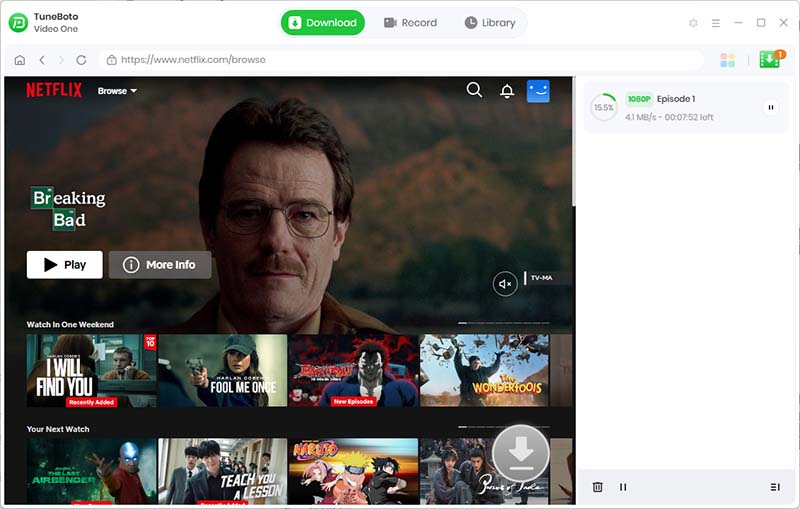
Download and install TuneBoto Video One on your Windows or Mac computer, then launch the software.
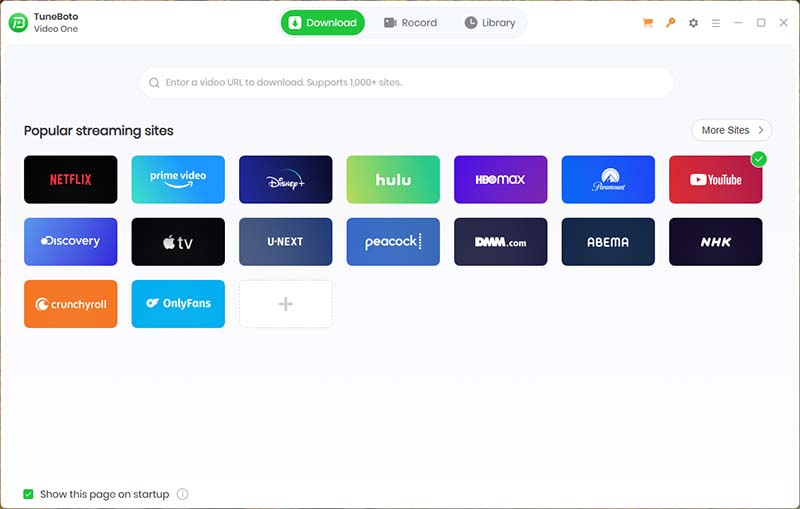
Select Netflix from the supported platform list and sign in with your Netflix account inside the built-in browser.
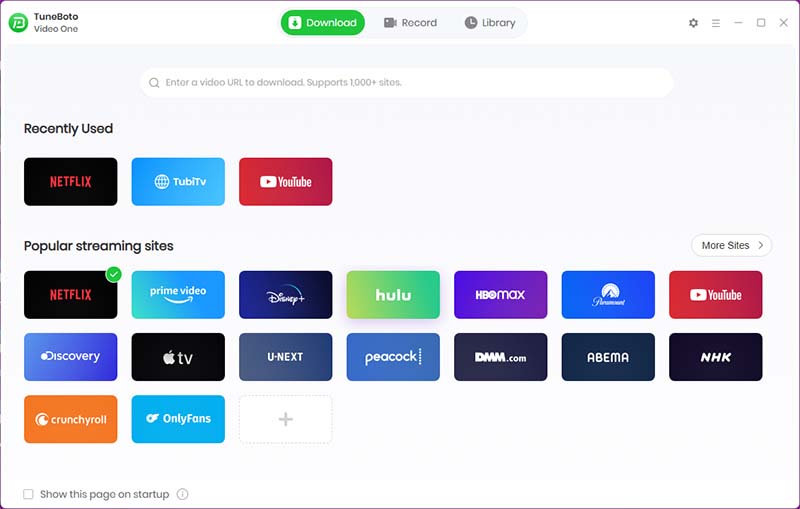
Use the integrated search field to locate the Netflix title you want to download by name or URL.
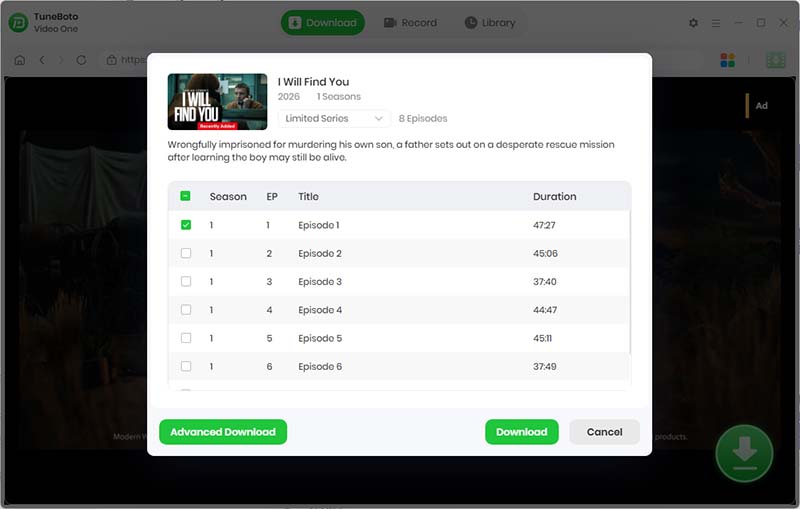
Choose MP4 output, pick the desired video quality, and select the subtitle mode. For portable videos, set subtitles to "External" or "None."
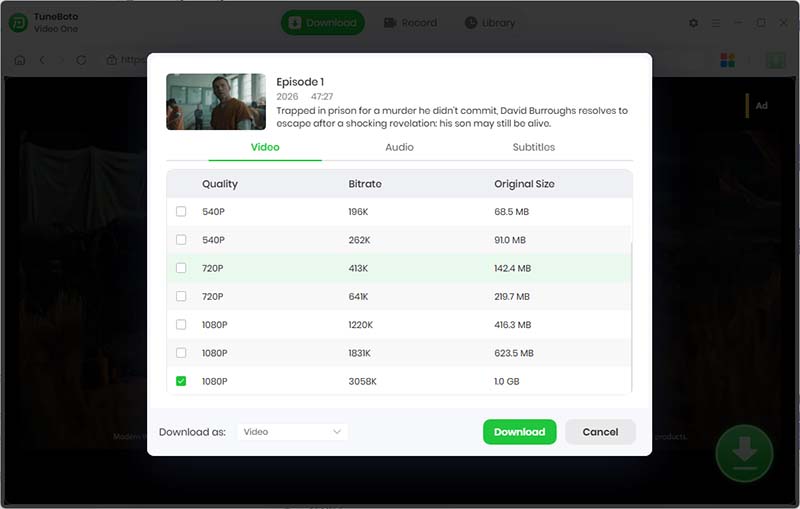
Click the Download button. TuneBoto Video One will process the title and save it as a standard MP4 file on your computer.
Step-by-Step Overview of Format Selection (General Guide)
- 1. Identify the type of device you are using for playback
- 2. Determine whether you need compatibility (MP4) or advanced features (MKV)
- 3. Consider storage size and quality requirements
- 4. Check whether subtitles or multiple audio tracks are required
- 5. Select a format that matches your viewing environment
Benefits of MKV Format for Media Libraries
MKV is often used in personal media libraries because it provides a balance between quality and flexibility. Users who manage large collections of movies and shows often prefer MKV for its ability to store complete multimedia information in a single file.
- Ideal for home theater systems
- Supports high-definition video preservation
- Works well with media server software
- Allows long-term storage without format loss
Frequently Asked Questions (FAQ)
What does Netflix to MKV mean?
It is a search phrase used by users who want to understand MKV format in relation to Netflix video playback or offline viewing concepts.
Is MKV better than MP4 for Netflix content?
MKV offers more flexibility with audio and subtitles, while MP4 offers broader compatibility across devices.
Can MKV files be played on all devices?
Most modern media players support MKV, but some older devices may require additional software.
Does MKV reduce video quality?
No. MKV is a container format and does not inherently compress or reduce video quality.
Why is MKV used for high-quality videos?
Because it supports multiple audio tracks, subtitles, and high-definition video without strict compression limitations.
Final Thoughts
Understanding “Netflix to MKV” is less about direct conversion and more about learning how video formats work in modern digital playback environments. MKV remains one of the most powerful formats for users who prioritize flexibility, quality, and multi-track support in their media collections.