Introduction
Streaming has made entertainment incredibly convenient, but nothing beats the freedom of watching your favorite movies and shows offline—whether you're on a long flight, commuting, or dealing with spotty internet. Many people wonder: Can you download Netflix movies on a laptop? The short answer is yes, but it depends on your device and what you need.
In 2026, Netflix's official download options have evolved (and in some cases, become more restricted). Windows users once had decent support through a dedicated app, but changes like the shift toward Progressive Web Apps (PWA) have altered the landscape. Mac users have never had native offline download support. This guide breaks it all down clearly, covering official methods, their limitations, and practical solutions for more flexibility.
- ✓ Official download capabilities across Windows, Mac, and Chromebook.
- ✓ Step-by-step instructions for supported platforms.
- ✓ Key limitations of Netflix's built-in features (expiration, playback restrictions, etc.).
- ✓ How to save movies permanently as MP4 or MKV files.
- ✓ Benefits, comparisons, and answers to common questions.
Whether you're a casual viewer or building a personal offline library, this covers everything you need for 2026. Let's dive in.
Can You Download Netflix Movies on a Laptop?
Netflix's offline viewing was designed primarily for mobile devices, with limited desktop support. Availability varies significantly by operating system.
Windows Laptops
Supported (with caveats). Windows 10 and 11 users could traditionally use the Netflix app from the Microsoft Store for downloads. However, by 2026, the native download functionality in the desktop app has been significantly reduced or removed in favor of browser/PWA experiences for many users. You may still find some offline options in certain setups, but reliability has decreased. Premium plans offer better limits (up to 100 titles per device in some cases), while ad-supported plans cap at around 15 downloads per month per device.
MacBook
Official Netflix app unavailable. There has never been a dedicated Netflix app for macOS that supports downloads. You can stream in browsers like Safari, Chrome, or Firefox, but native offline downloads are not possible. Workarounds like AirPlay from an iPhone/iPad exist but aren't seamless for laptop storage.
Chromebook
Limited support. Chromebooks with Google Play Store access can use the Android Netflix app for downloads, similar to mobile. Not all models support this fully, and storage/quality options are restricted compared to higher-end laptops.
Pro Tip: Always check your subscription plan—ad-supported tiers have stricter download limits that reset monthly.
How to Download Netflix Movies on a Windows Laptop
For Windows users where the feature is still accessible:
- Install the Netflix App — Download from the Microsoft Store. Search for "Netflix" and install the official app.
- Sign In — Use your Netflix credentials. Ensure you're on a supported plan.
- Find Downloadable Content — Browse or search. Look for the download icon (usually a downward arrow) on titles that support offline viewing. Not every title is available due to licensing.
- Click Download — Select quality (Standard or High). Downloads use Wi-Fi by default to save data.
- Watch Offline — Go to the "Downloads" or "My Downloads" section in the app. Content is playable only within the Netflix app.
Downloads are encrypted and tied to the app, so you can't easily play them elsewhere. This method works for temporary offline viewing but falls short for long-term or cross-device use.
Can You Download Netflix Movies on a Mac Laptop?
This is one of the most-searched long-tail queries: "download Netflix movies on Mac" or "Netflix download on MacBook."
Short answer: No native support. Netflix does not provide a dedicated macOS app with download capabilities. Streaming works great in modern browsers, but offline downloads do not. Apple Silicon Macs can't run the iPad app for this purpose either, as Netflix has restricted it.
Common Workarounds People Try:
- Download on an iPhone or iPad using the official app, then AirPlay to your MacBook (requires both devices online initially and isn't true local storage).
- Using Windows via Boot Camp or virtualization on Intel Macs (complicated and not ideal for Apple Silicon).
- Third-party solutions for direct laptop storage (more on this below).
Many Mac users eventually seek more reliable options because AirPlay isn't practical for travel or permanent libraries.
Netflix Laptop Download Limitations
Netflix's official downloads are convenient for short-term use but come with intentional restrictions to protect licensing agreements. These haven't fundamentally changed much by 2026.
Here's a clear comparison:
| Feature | Official Netflix Download |
|---|---|
| Offline Viewing | Yes (within app) |
| MP4 Export | No |
| Transfer to USB | No |
| VLC Playback | No |
| Permanent Access | No (expires) |
| Device Portability | Limited to the same device/app |
| Quality Options | Up to 1080p (plan-dependent) |
Key Limitations Explained:
- Downloads Expire: Typically 7–30 days if unplayed, or 48 hours once you start watching (varies by title and license).
- Subscription Required: Downloads disappear if your plan ends or you cancel.
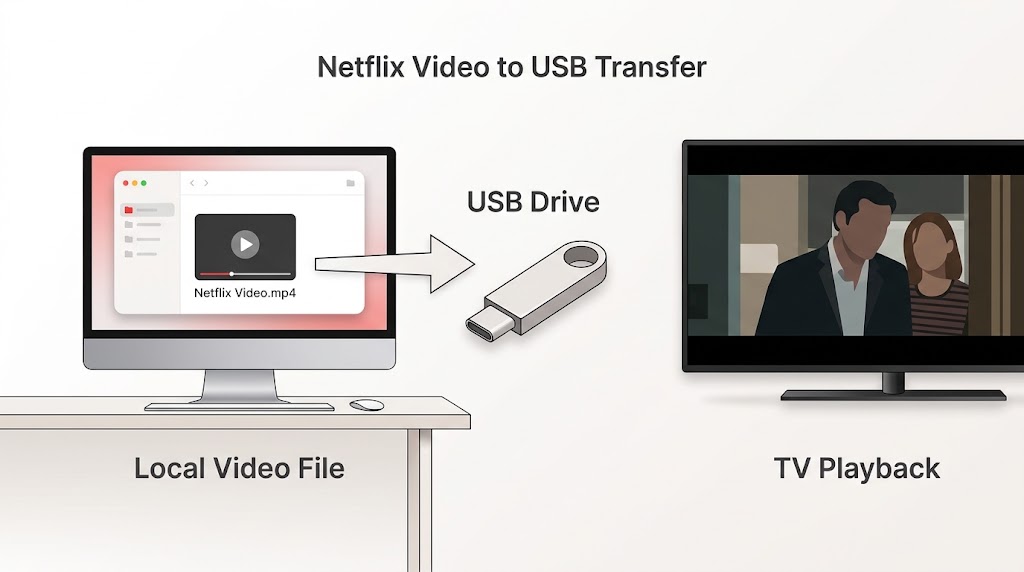
- Cannot Transfer Videos: Files are encrypted and app-locked. No easy USB or external drive moves.
- App-Only Playback: You must use the Netflix app—no support for other players like VLC or Plex.
- Regional Restrictions & Limits: Some titles aren't downloadable. Plans have caps (e.g., monthly limits on ad tiers). Yearly per-title download caps exist for certain content.
- Storage & Device Limits: Downloads count toward device storage and simultaneous download allowances.
These constraints frustrate users wanting true ownership-like flexibility for travel, backups, or multi-device households.
How to Save Netflix Movies on a Laptop Permanently
Many users start with Netflix's official downloads but quickly want more: watching without the app, backing up favorites, transferring to other devices, or building a personal offline library that survives subscription changes or expirations.
Official methods fall short here. This is where dedicated video downloading solutions come into play. These tools use advanced capture or parsing methods to save content as standard video files (MP4 or MKV), giving you full control while respecting your active subscription for access.
Why Use a Dedicated Downloader? (and How to Do It with TuneBoto Video One)
Dedicated downloaders bypass many official restrictions by saving videos in universal formats. They often support higher customization, batch processing for entire seasons, multiple audio tracks/subtitles, and no expiration on the saved files (as long as the video quality and license allow).
Step-by-Step with TuneBoto Video One:
Download and install the software on your Windows or Mac laptop from the official site. It supports both platforms smoothly.
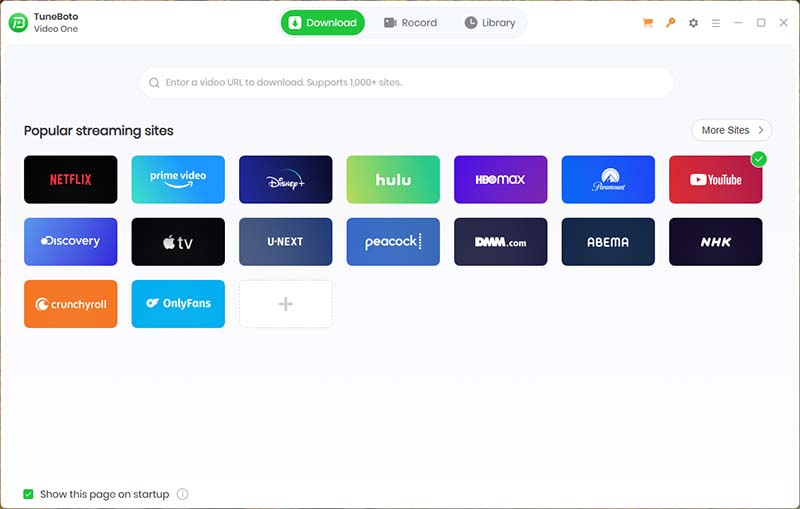
Launch the app and use the built-in secure browser to log in to your Netflix account. Your credentials stay private.
Browse or search just like on Netflix. Paste a URL for specific titles. The tool detects downloadable content efficiently.
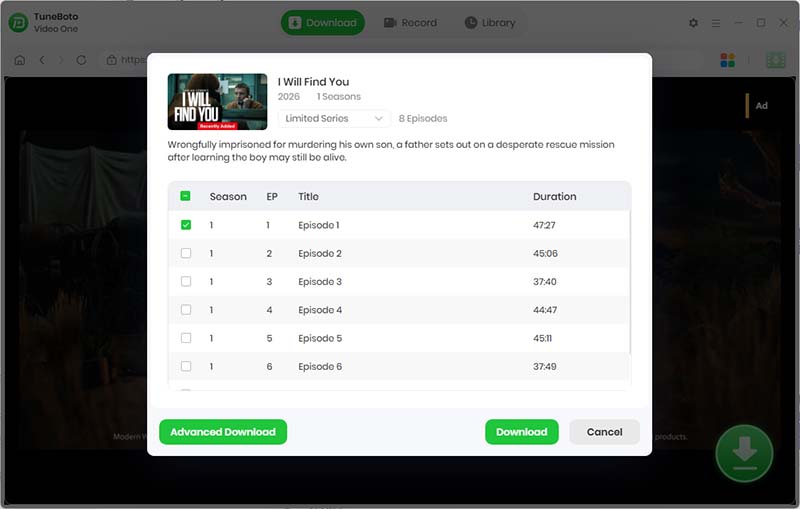
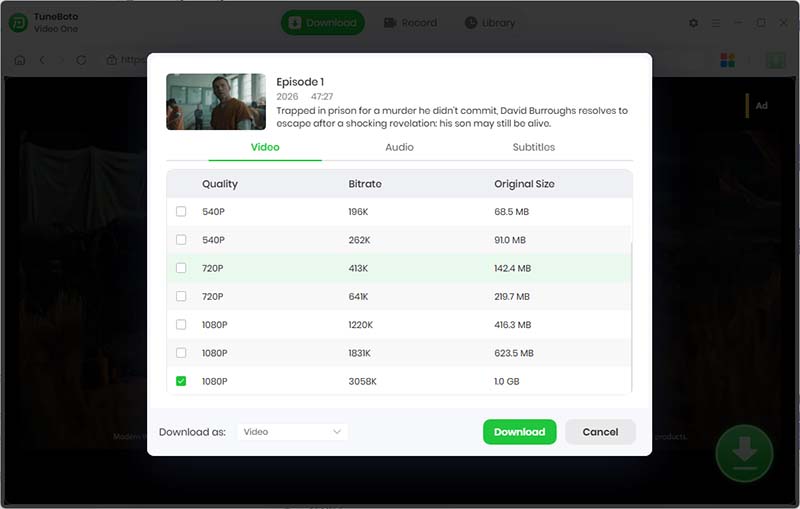
Pick MP4 (most compatible) or MKV (for advanced audio/subtitle options). Select quality (up to 1080p or available max), audio tracks, and subtitles. Batch download entire seasons if desired.
Start the process. Speeds are generally fast on a good connection, and you can queue multiple items.
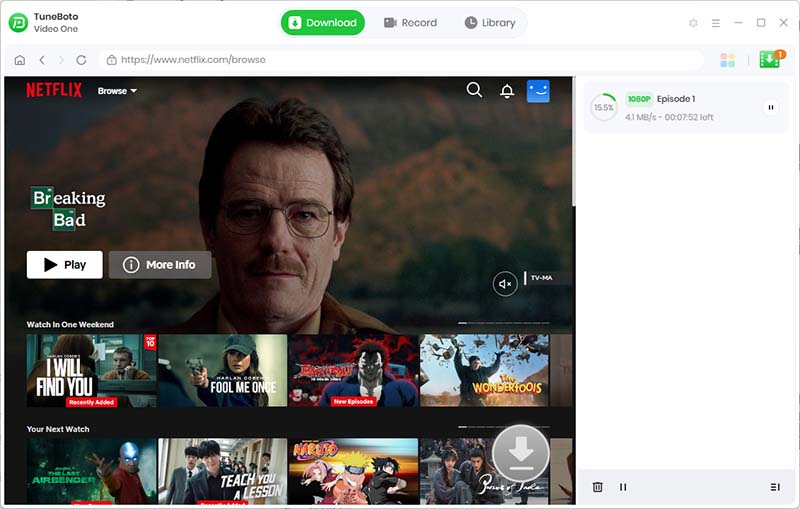
Once complete, files save to your chosen folder. Play them in VLC, Windows Media Player, Plex, or transfer to any device/USB/NAS. No Netflix app or subscription needed for playback afterward (though an active sub is required to initially access the content).
This approach gives true portability and permanence that official downloads lack.
Benefits of Saving Netflix Movies to Your Laptop
Switching to local files unlocks real freedom:
- Watch Offline Anywhere — No internet, no app, no worries about signal drops.
- Keep Favorite Titles Accessible — Build a collection of go-to movies that don't expire.
- Play with Any Media Player — Use VLC for advanced controls, subtitles, or hardware acceleration.
- Transfer to External Storage — Move to USB drives, external SSDs, or share across family devices (for personal use).
- No App Dependency — Watch on laptops, tablets, TVs, or even burn to disc in some cases.
- Backup and Organization — Easier metadata handling and integration with media servers like Plex or Jellyfin.
- Ad-Free Experience — Even on lower-tier plans, downloaded files play without interruptions.
Users on long trips, those with data caps, or families with kids especially appreciate this flexibility.
Netflix Download vs MP4 Download
| Feature | Netflix App Download | MP4 File (via Dedicated Tool) |
|---|---|---|
| Requires Netflix App | Yes | No |
| Works After Download Expires | No | Yes |
| Transfer to USB | No | Yes |
| Play in VLC | No | Yes |
| Backup to NAS | No | Yes |
| Permanent Access | No (tied to sub & timers) | Yes (local file) |
| Format Flexibility | Encrypted proprietary | Standard MP4/MKV |
| Batch Seasons | Limited | Excellent |
The MP4 route clearly wins for power users seeking longevity and compatibility.
FAQ
Can I download Netflix movies on my laptop?
Yes—natively on supported Windows setups (with limits), or more flexibly with dedicated tools on any laptop.
Why can't I download Netflix movies on Mac?
No official macOS app exists with download support. Browser streaming is available, but offline saving requires workarounds or third-party software.
Where are Netflix downloads stored?
In the official app: Hidden app data folders on Windows (e.g., under AppData). With dedicated tools: Your chosen output folder as regular video files.
Do Netflix downloads expire?
Yes—typically 7–30 days unplayed, or 48 hours after starting playback. Exact times vary by title.
Can I transfer Netflix downloads to a USB drive?
Not with official downloads (encrypted). Yes with MP4 files from a dedicated downloader.
Can I watch Netflix downloads after canceling my subscription?
Official downloads will eventually become unavailable. Local MP4 files remain playable.
How do I save Netflix movies as MP4?
Use a reliable dedicated downloader like TuneBoto Video One. Follow the steps above for MP4 output with customizable settings.
Final Thoughts
Downloading Netflix movies on a laptop in 2026 is entirely doable, but the best approach depends on your needs. Official methods suit quick, temporary offline sessions on supported devices. For permanent, flexible access across Windows and Mac, dedicated tools provide the MP4 freedom most users ultimately want.
Experiment with what's available in your region and plan, always prioritizing legal personal use. With the right setup, you can enjoy your favorite content on your terms—anytime, anywhere. If you have specific device questions, drop them in the comments!