Finding the right tool to build your offline media library can often feel like an impossible task. If you are a heavy Amazon user, you already know the struggle: you try a screen recorder, only to be frustrated by black screens, 1X recording speeds, or compressed audio quality.
In 2026, you shouldn't have to compromise your viewing or listening experience. When searching for the best way to save Amazon Prime Video and Amazon Music, two names frequently appear: TuneBoto and Audials. But which one is actually right for your specific needs? Here is our comprehensive breakdown.
Quick Navigation
Quick Verdict: Which App to Choose?
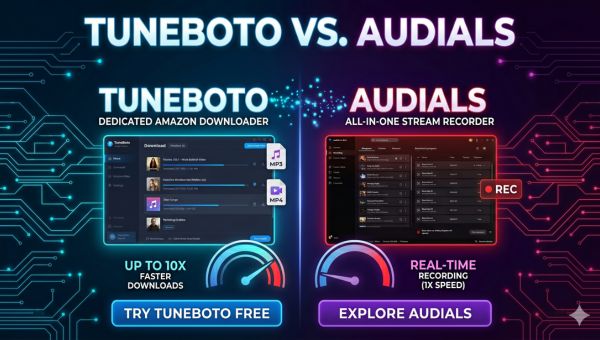
If you are looking for an all-in-one screen recorder that can capture content from 50+ different streaming sites (Netflix, Hulu, etc.), Audials is a versatile choice. However, if your primary goal is to download from Amazon Prime Video or Amazon Music, TuneBoto is the clear winner.
TuneBoto uses backend URL parsing instead of real-time screen recording, offering up to 10X faster batch downloading, true 1080p HD, and 100% original lossless audio without tying up your computer's screen.
Feature Comparison Matrix
Before we dive into the details, here is a clear side-by-side comparison of how both software options perform when handling Amazon media.
| Feature / Metric | TuneBoto (Amazon Dedicated) | Audials (All-in-One Recorder) |
|---|---|---|
| Core Technology | URL Parsing & Direct Download | Real-time Screen Recording |
| Speed & Efficiency | Up to 10X Faster (Batch Processing) | 1X Real-time Speed |
| Video Quality | True 1080p HD (No dropouts) | Depends on PC specs; prone to frame drops |
| Metadata (ID3) | 100% Original Tags Kept | Manual tagging often needed |
Technology Differences: Downloading vs. Recording
Audials: The Screen Recording Approach
Audials is essentially a highly advanced screen recorder. It plays the video or song on your screen and records it in real-time. This means if a notification pops up, or if Amazon implements strict DRM resulting in a black screen, your recording is ruined.
✅ Audials Pros
- Supports dozens of streaming platforms.
- Good for casual users who don't mind waiting.
❌ Audials Cons
- 1X recording speed takes hours.
- Ties up your computer screen while recording.
TuneBoto: The Direct Downloading Approach
TuneBoto takes a completely different approach. It features a built-in browser that directly accesses the Amazon server links. It downloads the source file in the background, meaning you can minimize the app and continue working on your PC.
✅ TuneBoto Pros
- Extremely fast hardware-accelerated downloads.
- Works entirely in the background (no black screens).
❌ TuneBoto Cons
- Exclusively designed for Amazon users.
💡 Want to Build Your Amazon Media Library?
If you value your time and demand true 1080p quality with 5.1 surround sound, bypass the recording software and use a dedicated downloader. Keep your favorite Amazon anime, movies, and music forever!
Try TuneBoto FreeFrequently Asked Questions (FAQs)
Does TuneBoto cause my screen to go black?
No. Unlike screen recorders, TuneBoto processes the media URLs directly in the background. You can continue using your computer for other tasks without any black screen issues.
Can I keep Amazon Music ID3 tags?
Yes. TuneBoto automatically extracts and retains 100% of the original ID3 tags, including Artist, Album, Track Number, and Artwork. Screen recorders often struggle with perfect metadata recognition.
Conclusion
In summary, finding the best software free from technical issues and black screens is entirely possible. While Audials offers a great multi-platform recording experience, TuneBoto is the indisputable choice for Amazon users. By choosing a dedicated URL parsing downloader, you can enjoy endless high-definition Amazon video and high-fidelity music safely and efficiently.

Gabrielle Miller | Senior Editor

