Best Facebook Profile Viewer: 10 Tools Compared in 2026
Looking for the best Facebook profile viewer? Compare 10 tools and methods for finding public Facebook profiles, posts, Pages, Reels, ads, and other publicly available content.
Table of Contents
Quick Answer: What Is the Best Facebook Profile Viewer?
For directly viewing a Facebook profile or Page, Facebook itself is the most straightforward option. If you want to discover public Facebook profiles and indexed posts through a web search, Google and Bing can be useful alternatives. For public advertising research, Meta Ad Library is more specialized, while Social Searcher and social listening platforms can help with broader public-content discovery and monitoring.
There is no legitimate profile viewer that should be expected to unlock private Facebook posts, hidden photos, private messages, or restricted friend lists. The tools covered in this guide are focused on publicly available Facebook information.
Introduction
Searching for the best Facebook profile viewer can lead to a confusing mix of search engines, social-media research platforms, profile viewers, social listening tools, and websites making questionable privacy-related promises.
The reason is simple: people use the term “Facebook profile viewer” to describe several different tasks. Someone may want to find a public profile without using Facebook's internal search. Another person may want to research a business Page, discover public posts, monitor a competitor, investigate Facebook advertisements, or find public Reels and videos.
These are not necessarily the same job, so the best tool depends on what you actually want to see or research.
In this guide, we review 10 practical Facebook profile viewer tools and methods. Instead of simply listing their names, each option is evaluated according to its main features, advantages, limitations, and ideal use cases.
The focus is on public profile and public-content discovery. We do not treat third-party websites that claim to bypass Facebook privacy settings as legitimate profile viewers.
If you are specifically interested in saving Facebook videos, see our Facebook video download guide or explore TuneBoto Video One.
What Is a Facebook Profile Viewer?
A Facebook profile viewer is a tool or method that helps you find, access, or research information that is publicly available from a Facebook profile, Page, post, video, Reel, or other public-facing Facebook resource.
The simplest example is Facebook itself. You search for a person, business, creator, or organization and open the profile or Page. What you can see depends on the information that has been made available to your audience.
Third-party tools can provide additional discovery capabilities. Search engines can find publicly indexed Facebook pages, while social search and monitoring platforms can help identify public posts, mentions, keywords, or content trends.
For businesses, the definition can be even broader. A social listening platform may be considered part of a Facebook research workflow even though it is not technically a “profile viewer.” Its purpose is to help you understand public conversations rather than simply open one profile.
Why Do You Need a Facebook Profile Viewer?
There are several reasons users search for Facebook profile viewer tools. Identifying your purpose first can help you choose a more suitable solution.
Find a Public Facebook Profile
You may know someone's name, username, business name, or profile URL but have difficulty finding the correct account. Search engines and Facebook's own search can help narrow down public profiles.
Research a Business or Creator
Businesses and creators frequently publish information through Facebook Pages. A profile research tool can make it easier to locate public information, posts, videos, and links associated with that Page.
Discover Public Posts
Researchers, journalists, marketers, and ordinary users may need to locate public posts associated with a keyword, topic, event, or public-facing account.
Monitor Public Brand Mentions
Businesses may want to know when their brand is mentioned publicly on social platforms. Dedicated social listening tools are usually better suited to this than basic profile viewers.
Research Competitor Activity
Marketers can use publicly available Facebook information to understand competitor content strategies, advertising activity, posting themes, and public engagement.
Find Facebook Videos and Reels
Facebook has become a major video platform. If your research involves public videos or Reels, search and discovery tools can sometimes make relevant content easier to locate.
10 Best Facebook Profile Viewer Tools in 2026
Below are 10 tools and methods that can help with Facebook profile viewing, public-content discovery, Page research, advertising research, or social monitoring. They serve different purposes, so the descriptions below explain where each one fits rather than treating every tool as identical.
1. Facebook
Best for: Direct Facebook profile and Page viewing
When your goal is simply to view a Facebook profile, Facebook itself is the most direct place to start. Rather than relying on an intermediary website, you can search for the profile, Page, creator, organization, or business and view whatever information Facebook makes available to you.
Key Features
- Direct access to Facebook profiles and Pages.
- Public posts, photos, videos, and Reels where available.
- Profile and Page information presented by the original platform.
- Built-in search for people, Pages, groups, and content.
- Access to Facebook's own privacy and audience controls.
Pros
- Uses the original Facebook platform.
- No separate profile-viewer service is required.
- Information is displayed in its original context.
- Useful for both personal and business research.
Cons
- Search results can vary depending on Facebook's interface and algorithms.
- Some information may require login or may not be publicly accessible.
- Private content remains unavailable.
Best For
Facebook is best for users who simply want to view a public profile, Page, post, video, or Reel directly from the source.
Our Take
If you already know which Facebook profile or Page you want to view, using Facebook directly is usually simpler and safer than entering the URL into an unknown third-party viewer.
2. Google Search
Best for: Finding publicly indexed Facebook profiles and Pages
Google can be surprisingly useful as a Facebook profile discovery tool. Instead of searching only inside Facebook, you can use Google's web index to find public Facebook URLs associated with a person's name, business, organization, topic, or keyword.
Key Features
- Searches publicly indexed Facebook URLs.
- Useful for finding Pages and public profiles.
- Supports exact-name and keyword searches.
- Can combine Facebook searches with locations, professions, brands, or topics.
- Useful for broader web research beyond Facebook.
Pros
- Fast and familiar.
- No dedicated Facebook viewer account is required.
- Useful when Facebook's internal search is difficult to navigate.
- Can surface Facebook results alongside other public web information.
Cons
- Only content that can be indexed may appear.
- Search results may be incomplete or outdated.
- It cannot provide access to private Facebook information.
Best For
Google is particularly useful for finding a public Facebook Page or profile when you know a person's name, company, brand, username, or another identifying keyword.
How to Use It
Try a targeted query such as site:facebook.com "name", then add a business name, city, profession, or other relevant public information to narrow the results.
Our Take
Google is not a specialized Facebook viewer, but its ability to search the broader web makes it one of the most practical free discovery methods.
3. Bing
Best for: Alternative Facebook profile discovery
Bing provides another search-engine-based approach to finding public Facebook information. Using multiple search engines can sometimes produce different results, which is useful when researching a public-facing person, business, creator, or organization.
Key Features
- Searches indexed Facebook pages and URLs.
- Supports keyword and exact-name searches.
- Can combine Facebook searches with locations and business names.
- Provides an alternative index to Google.
Pros
- Simple to use.
- Does not require a specialized profile-viewer account.
- Useful for cross-checking search results.
- Works well for public Page discovery.
Cons
- Coverage depends on search-engine indexing.
- Results may not include every Facebook profile.
- Private information cannot be accessed through search.
Best For
Bing is best for users who want a second search-engine option when researching public Facebook profiles or Pages.
Our Take
Bing works best as a complementary discovery method rather than a dedicated Facebook viewer. It becomes particularly useful when combined with Facebook itself.
4. Meta Ad Library
Best for: Facebook advertising and competitor research
Meta Ad Library serves a very different purpose from a conventional profile viewer. Instead of focusing on personal profiles, it helps users search public advertisements running across Meta technologies.
This makes it particularly useful for marketers who are researching a business Page and want to understand its advertising activity.
Key Features
- Search advertisements by keyword.
- Search for advertisements associated with advertisers.
- Review public advertising creatives and related information.
- Useful for competitor advertising research.
- Provides a first-party Meta research environment.
Pros
- Provided directly by Meta.
- More useful for advertising research than generic viewer websites.
- Can help identify advertising themes and creative approaches.
- Useful for marketers and advertisers.
Cons
- It is not designed for ordinary personal profile viewing.
- It does not provide private profile information.
- Advertising information varies depending on region and ad availability.
Best For
Meta Ad Library is best for marketers, advertisers, agencies, SEO professionals, and businesses researching public Facebook advertising activity.
Our Take
If your real reason for searching for a Facebook profile viewer is competitor research, Meta Ad Library can be significantly more useful than a generic profile-viewer website.
5. Social Searcher
Best for: Public social-content discovery
Social Searcher is designed around social-media search and monitoring. Its Facebook-oriented search functionality can be useful when your objective is to discover public Facebook posts, profiles, and conversations rather than simply open one profile.
Key Features
- Social-media keyword search.
- Public Facebook content discovery.
- Search-oriented interface for social content.
- Useful for researching names, brands, and topics.
- Can support broader social-media research workflows.
Pros
- More focused on social-content discovery than general search engines.
- Useful for keyword-based research.
- Can help locate public conversations.
- Useful for researchers and marketers.
Cons
- Coverage depends on publicly accessible information.
- It should not be treated as a private-profile viewer.
- Advanced features may depend on the service's current plan or availability.
Best For
Social Searcher is best for people who want to discover public Facebook content around a name, brand, keyword, or topic.
Our Take
Social Searcher is closer to a dedicated public social-search solution than a conventional Facebook profile viewer, making it useful for research beyond one individual account.
6. Brand24
Best for: Brand monitoring and public mentions
Brand24 is primarily a social listening platform. It is not designed to replace Facebook's profile interface. Instead, it is useful when the question behind your Facebook research is “What are people publicly saying about this brand, topic, or company?”
Key Features
- Online and social-media monitoring.
- Keyword and brand mention tracking.
- Public conversation monitoring.
- Sentiment and discussion analysis features.
- Useful for reputation and competitor research.
Pros
- Designed for ongoing monitoring.
- More suitable for businesses than manual profile checking.
- Can consolidate mentions from multiple sources.
- Useful for reputation and marketing workflows.
Cons
- Overkill for someone who only wants to view one Facebook profile.
- Full functionality may require a paid plan.
- It is a monitoring platform rather than a direct profile viewer.
Best For
Brand24 is best for businesses, agencies, marketers, and researchers who need to monitor public conversations rather than manually browse individual Facebook profiles.
Our Take
If your Facebook research is part of a larger brand-monitoring project, Brand24 provides a more useful workflow than a basic profile-viewing website.
7. Mention
Best for: Social and web monitoring
Mention is another monitoring-focused platform that can be useful when you need to track public conversations around a brand, person, organization, or keyword.
Key Features
- Brand and keyword monitoring.
- Social-media monitoring.
- Web mention tracking.
- Alerts for new mentions.
- Useful for reputation and competitive research.
Pros
- Designed for continuous monitoring.
- Useful for marketing teams.
- Can reduce the need for manual social searches.
- Supports broader online monitoring beyond Facebook.
Cons
- Not intended for private-profile viewing.
- May be unnecessary for casual Facebook users.
- Advanced monitoring functionality can require a subscription.
Best For
Mention is best for marketers and businesses that want to track public discussions rather than simply look at an individual profile.
Our Take
Mention belongs on this list because many professional Facebook “viewer” searches are actually attempts to monitor public social activity. For that purpose, monitoring software is often more useful than a simple profile viewer.
8. Talkwalker
Best for: Enterprise social intelligence
Talkwalker is designed for larger-scale social listening, consumer intelligence, and brand monitoring. Compared with a basic Facebook profile viewer, it addresses a much broader research requirement.
Key Features
- Social listening and monitoring.
- Brand and topic analysis.
- Large-scale public conversation research.
- Competitive intelligence capabilities.
- Analytics designed for professional teams.
Pros
- Designed for professional and enterprise research.
- Useful for large volumes of public social information.
- Broader than Facebook-only research.
- Suitable for brand and consumer intelligence.
Cons
- More complex than necessary for casual users.
- Not a traditional profile viewer.
- Enterprise-oriented functionality may not suit individual users.
Best For
Talkwalker is best for larger companies, agencies, and professional teams conducting broad social intelligence research.
Our Take
Talkwalker is not the right choice if you simply want to look at a Facebook profile. Its value comes from combining social listening and analysis into a broader research workflow.
9. BuzzSumo
Best for: Facebook content and topic research
BuzzSumo focuses on content research rather than personal profile viewing. It can still be useful for Facebook-related research when the real objective is understanding which topics, content formats, and articles generate social attention.
Key Features
- Content discovery.
- Topic research.
- Social engagement analysis.
- Competitor content research.
- Content trend identification.
Pros
- Strong fit for SEO and content marketing workflows.
- Useful for competitor research.
- Helps identify topics rather than only individual profiles.
- Can complement Facebook research with broader content data.
Cons
- Not a traditional Facebook profile viewer.
- More useful to marketers than casual users.
- Some features may require a subscription.
Best For
BuzzSumo is best for SEO professionals, content marketers, publishers, and businesses researching Facebook-related content performance and topics.
Our Take
If your reason for viewing Facebook profiles is to understand what content competitors publish and what topics receive attention, BuzzSumo can be more useful than a simple profile viewer.
10. Facebook Page Transparency
Best for: Researching public Facebook Pages
Facebook Page Transparency is particularly relevant when your target is a business, organization, creator, or other public-facing Page rather than a personal profile.
Key Features
- Additional information about Facebook Pages.
- Useful context for researching public-facing organizations.
- Helpful for advertising and Page research.
- Provides information through Facebook's own platform.
Pros
- Uses information provided through Facebook.
- Useful for Page research.
- More appropriate for business and organization research than private-profile viewer sites.
- Can complement Meta Ad Library research.
Cons
- Focused on Pages rather than personal profiles.
- Does not provide private profile information.
- Available information depends on Facebook's current transparency features.
Best For
Facebook Page Transparency is best for users researching businesses, organizations, public figures, creators, and other public-facing Pages.
Our Take
For Page research, first-party Facebook information is generally preferable to an anonymous third-party viewer that makes unclear claims about what it can access.
Facebook Profile Viewer Comparison
The 10 options above are not identical products. Some are direct viewing methods, some are discovery tools, and others are professional research platforms. This table summarizes the differences.
| Tool | Public Profiles | Public Posts | Pages | Facebook Ads | Monitoring | Best For |
|---|---|---|---|---|---|---|
| ✓ | ✓ | ✓ | Limited | Limited | Direct viewing | |
| ✓* | ✓* | ✓ | Limited | No | Public discovery | |
| Bing | ✓* | ✓* | ✓ | Limited | No | Alternative search |
| Meta Ad Library | No | No | ✓ | ✓ | Limited | Ad research |
| Social Searcher | ✓* | ✓* | ✓* | No | ✓ | Public social search |
| Brand24 | No | ✓* | ✓* | Limited | ✓ | Brand monitoring |
| Mention | No | ✓* | ✓* | Limited | ✓ | Social monitoring |
| Talkwalker | No | ✓* | ✓* | Limited | ✓ | Enterprise intelligence |
| BuzzSumo | No | ✓* | ✓* | No | ✓* | Content research |
| Page Transparency | No | Limited | ✓ | ✓* | Limited | Page research |
* Availability depends on whether the information is public, indexed, supported by the service, and available under the relevant Facebook or Meta access rules.
Can You View a Private Facebook Profile?
No legitimate Facebook profile viewer should promise to bypass someone's privacy settings.
This is one of the most important points to understand when researching Facebook viewer tools. If an account owner limits a post, photo, friend list, or other profile information to a specific audience, entering the profile URL into a third-party website should not magically make that information public.
Websites that promise “private Facebook profile viewer,” “hidden photos viewer,” or “see private Facebook friends” should therefore be approached carefully.
There is also a security risk. Some suspicious services may use a profile-viewing promise to encourage users to provide Facebook passwords, verification codes, cookies, or browser permissions.
If your goal is legitimate research, focus on information that is already publicly available. If you need information from a private profile, the appropriate solution is to obtain it directly from the account owner or through an authorized relationship.
How to Download Facebook Reels
People who search for Facebook profile viewers often also want to save Facebook videos or Reels. The best method depends on whether the video belongs to you and whether you have permission to save it.
Method 1: Save a Reel Inside Facebook
If you only want to watch a Reel again later, Facebook's built-in save functionality is the simplest option. It keeps the content associated with your Facebook experience rather than creating a separate video file.
Method 2: Download Your Own Facebook Reel
If you created the Reel yourself, use Facebook's available download or content-management options whenever they are provided. This is the simplest way to obtain a local copy of content you control.
Method 3: Use a Video Downloader for Authorized Content
If you have the right or permission to save a publicly accessible video, a desktop video downloader may provide more flexibility for local playback and file organization.
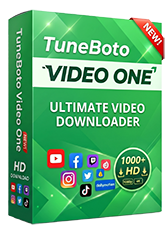
Save Supported Online Videos with TuneBoto Video One
TuneBoto Video One is an all-in-one desktop video downloader designed for supported video websites. It supports Windows and Mac and provides common video output options such as MP4 and MKV.
- Supports 1,000+ video websites
- Windows and macOS support
- MP4 and MKV output
- High-quality downloads where supported
- Local video playback and file management


How to Choose a Safe Facebook Profile Viewer
Because the term “Facebook profile viewer” is used by both legitimate research tools and questionable websites, it is important to evaluate a service before using it.
1. Avoid services asking for your Facebook password
A simple public-profile viewer should not normally require you to provide your Facebook password to an unrelated website. If a service asks for credentials unnecessarily, stop and evaluate the service carefully.
2. Be skeptical of private-profile promises
Claims that a website can instantly reveal private Facebook photos, hidden friends, private posts, or Messenger conversations are a major warning sign.
3. Avoid unnecessary browser extensions
If a simple search service asks you to install an unknown extension, consider whether the extension is genuinely necessary and whether the provider is trustworthy.
4. Check what data the tool actually uses
Look for clear explanations of whether the service searches public pages, indexes public posts, monitors mentions, or uses authorized data access.
5. Prefer first-party sources when available
For direct Facebook information, start with Facebook. For advertising research, use Meta's own Ad Library. Third-party tools can be useful when you need discovery, monitoring, or analysis beyond the native Facebook experience.
6. Consider your actual goal
If you only need to find a public profile, you probably do not need an expensive social intelligence platform. If you need continuous brand monitoring, a dedicated monitoring service may be more appropriate.
Frequently Asked Questions
Conclusion
The best Facebook profile viewer depends on what you actually want to accomplish. If you simply want to view a Facebook profile or Page, start with Facebook itself. If you need to discover public profiles or indexed posts, Google, Bing, and public social-search tools can provide additional options.
For marketing and competitive research, the right tool may be different. Meta Ad Library is designed for advertising research, while platforms such as Brand24, Mention, and Talkwalker are better suited to monitoring public conversations. Content-focused tools such as BuzzSumo can help when your goal is understanding content rather than viewing an individual profile.
The most important rule is to distinguish public-content discovery from privacy bypassing. A legitimate Facebook profile viewer should help you find information that is already publicly accessible. It should not promise access to private photos, hidden friend lists, private messages, or restricted posts.
If you are researching Facebook videos or Reels and need to save content that you are authorized to download, you can also explore TuneBoto Video One for supported video websites and local video management.
Looking for an All-in-One Video Downloader?
TuneBoto Video One supports video downloads from 1,000+ websites with Windows and Mac support and MP4/MKV output for supported sources.
Discover Video One
Ethan Cole | Senior Editor
You May Also Like
Best OnlyFans Profile Search Tools to Find Creators
Learn how to find OnlyFans creators using third-party search tools.
Read More →
Download Netflix Movies on Laptop
Learn how to save supported Netflix movies for authorized offline viewing on a laptop.
Read More →
How to Transfer Netflix Movies to USB
Learn how to transfer Netflix videos to a USB drive. Find out why Netflix downloads cannot be copied directly to USB.
Read More →