Table of Contents
Finding the best OnlyFans video downloader review can be difficult because different tools target different users. Some focus on OnlyFans, while others combine OnlyFans support with many other video websites.
In this 2026 comparison, we review five options and focus on the things that matter most when downloading videos: supported websites, output formats, operating systems, ease of use, and the actual download workflow.
TuneBoto Video One — Best Overall OnlyFans Video Downloader
TuneBoto Video One is our top pick because it combines a multi-platform video downloading workflow with support for OnlyFans content.
Video One is designed as an all-in-one downloader for 1,000+ websites and is available for Windows and macOS. Its official product information also lists MP4 and MKV as supported output formats.
This makes it especially useful for users who download from OnlyFans as well as other video and streaming websites.


5 Best OnlyFans Video Downloaders in 2026
| Rank | Downloader | OnlyFans | Windows | Mac | Output | Best For |
|---|---|---|---|---|---|---|
| 1 | TuneBoto Video One | Yes | ✓ | ✓ | Source / MP4 / MKV | Best Overall |
| 2 | StreamFab OnlyFans Downloader | Yes | ✓ | ✓ | MP4 / MKV | Dedicated Workflow |
| 3 | CleverGet | Yes* | ✓ | ✓ | MP4 / MKV / MOV | Simple Desktop Workflow |
| 4 | TuneFab VideOne | Yes | ✓ | ✓ | MP4 / MKV / MOV | Built-in Browser |
| 5 | YT Saver | Check Current Version | ✓ | ✓ | Multiple Formats | General Downloading |
* Website compatibility and available output options can change with software updates and source-side changes. Check the current software version before purchasing.
1. TuneBoto Video One — Best Overall OnlyFans Video Downloader
TuneBoto Video One is our top pick for users who want to download OnlyFans videos without limiting their downloader to one website.
Video One is an all-in-one desktop downloader designed to support 1,000+ websites, with versions for Windows and macOS. TuneBoto's official product information also confirms MP4 and MKV output.
For supported OnlyFans videos, the available download workflow can provide the source video or common output formats such as MP4 and MKV, depending on the source and current software support.
Key Features
- Supports OnlyFans video downloading
- Supports 1,000+ websites
- Available for Windows and macOS
- Source video download option
- MP4 and MKV output
- High-quality video downloads
- Batch downloading for supported sources
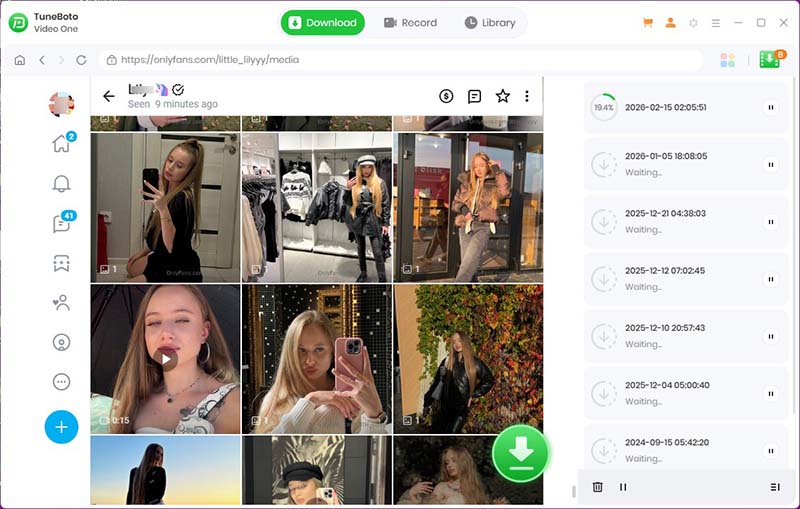
How to Download OnlyFans Videos with TuneBoto Video One
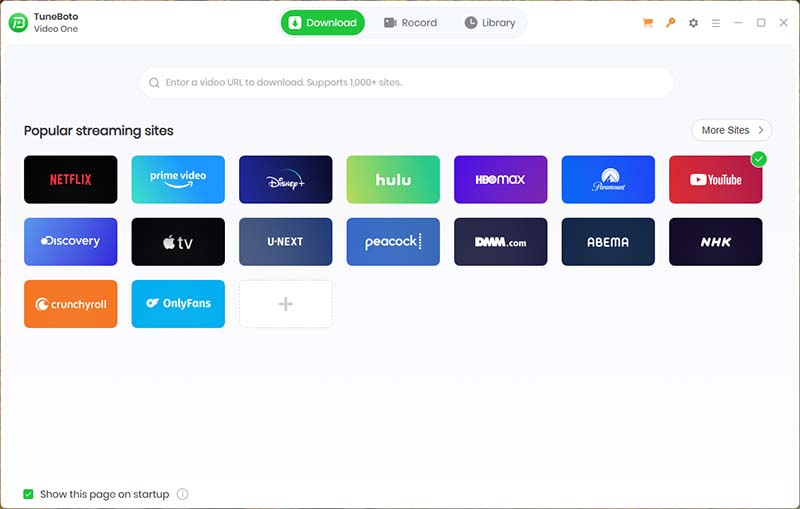
Step 1. Install and Run TuneBoto Video One
Download and install TuneBoto Video One on your Windows PC or Mac, then launch the program to get started.
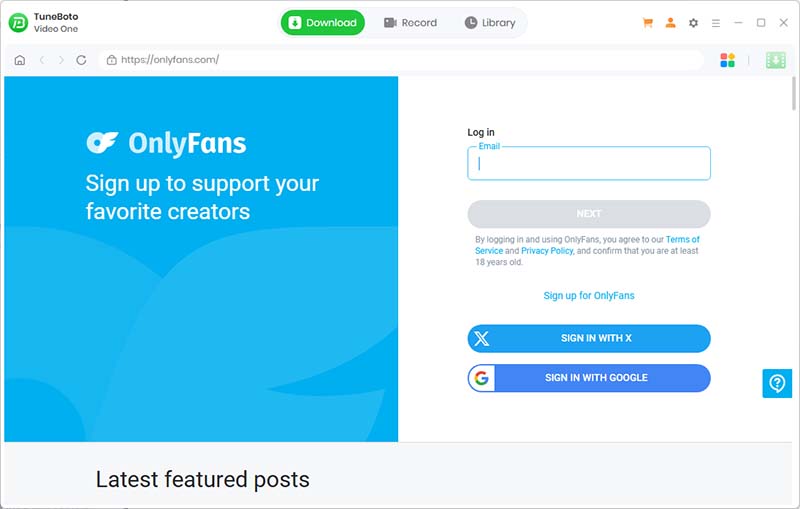
Step 2. Open OnlyFans and Sign In
Open the supported OnlyFans website in TuneBoto Video One and sign in to your authorized OnlyFans account.
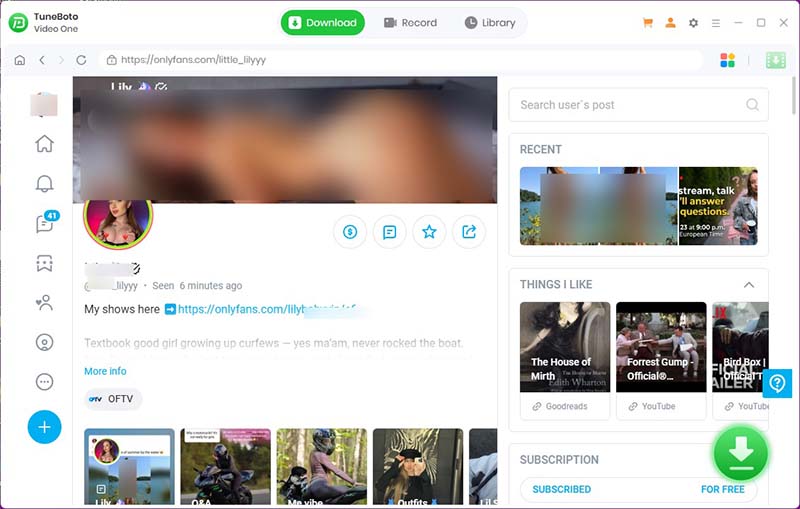
Step 3. Find and Open the Video
Browse OnlyFans and find the post containing the video you want to save. Open or play the video so TuneBoto Video One can analyze the available video stream.
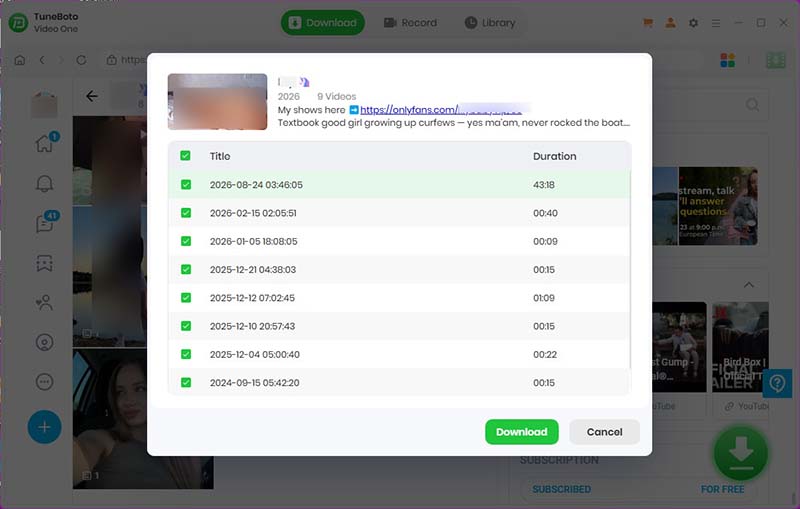
Step 4. Select the Video Quality and Format
Once the video is detected, click the download button. TuneBoto Video One will save the supported video to the selected location. Once the download is finished, open the folder to check the saved video.
Pros
- Supports OnlyFans video downloading
- Supports 1,000+ websites
- Source video, MP4 and MKV options
- Windows and Mac support
- Useful for multiple video platforms
Cons
- Available output options can vary by source video
- Platform-side changes may affect compatibility
Best for: Users who want an OnlyFans downloader that can also work across many other websites.
2. StreamFab OnlyFans Downloader — Best Dedicated OnlyFans Downloader
StreamFab takes a more specialized approach. Its official OnlyFans Downloader is designed specifically around OnlyFans video downloading and supports Windows and macOS.
StreamFab currently advertises saving supported OnlyFans videos in MP4 or MKV, with quality options up to 1080p where available.
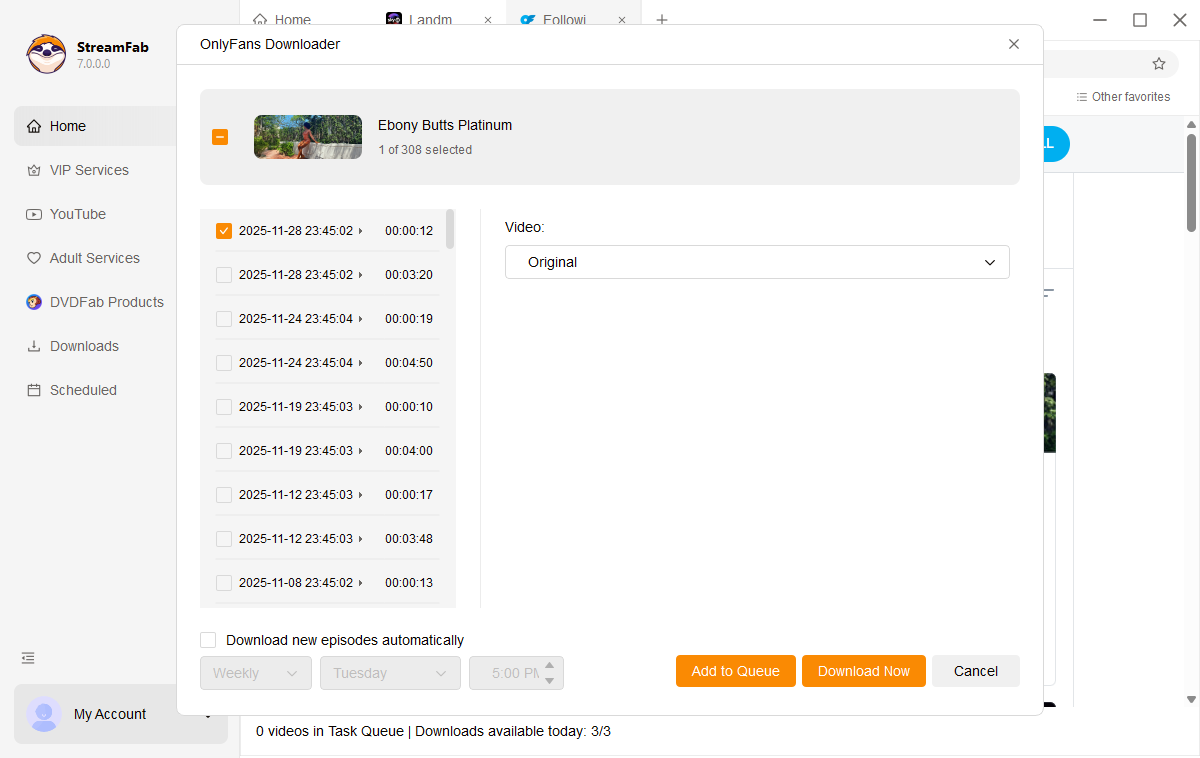
How to Download OnlyFans Videos with StreamFab
- Install StreamFab on Windows or macOS.
- Open the OnlyFans Downloader.
- Sign in to your authorized OnlyFans account through the supported browser workflow.
- Open the creator page, post, or message containing the video.
- Play the video and allow StreamFab to analyze the available stream.
- Select the available resolution and MP4 or MKV output.
- Add the video to the download queue and start downloading.
Pros
- Dedicated OnlyFans workflow
- Windows and macOS
- MP4 and MKV output
- Built-in browser workflow
- Batch download management
Cons
- More specialized than an all-in-one downloader
- Compatibility can change with OnlyFans updates
Best for: Users whose primary purpose is downloading OnlyFans videos.
3. CleverGet — Best for Simple Desktop Downloading
CleverGet is a desktop video downloader with a built-in browsing workflow. It is designed for downloading videos from a broad range of online sources.
Its main appeal is a conventional desktop workflow: browse to supported content, allow the software to analyze the available video, choose the desired stream, and download it locally.
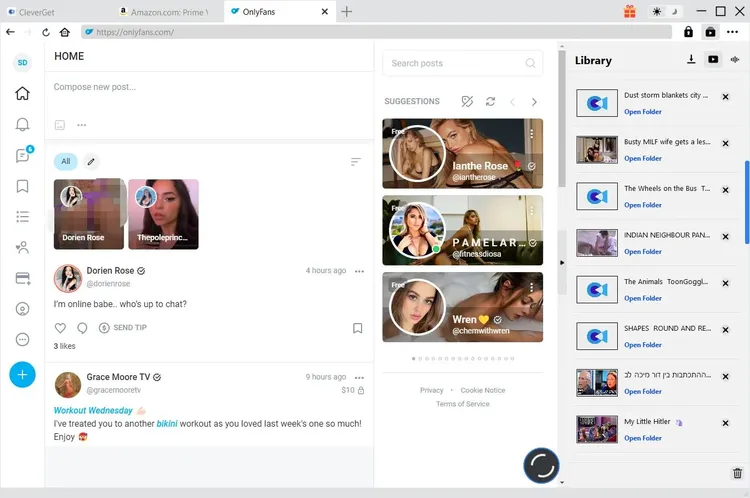
How to Download OnlyFans Videos with CleverGet
- Install CleverGet on your Windows PC or Mac.
- Open the built-in browser and visit OnlyFans.
- Sign in with an authorized account.
- Open the video post you want to save.
- Allow CleverGet to analyze the available video.
- Select the available video quality and output option.
- Start the download and check the download list.
Pros
- Built-in browser
- Desktop-oriented workflow
- Multiple video formats
- Useful beyond one website
Cons
- Website support can change
- Some features depend on the source video
Best for: Users who prefer a conventional desktop downloader with integrated browsing.
4. TuneFab VideOne — Best Built-in Browser Workflow
TuneFab VideOne is another multi-site downloader that has a dedicated OnlyFans downloader page. Its current product information lists MP4, MKV and MOV video output, Windows and Mac support, and up to 1080p video downloads where available.
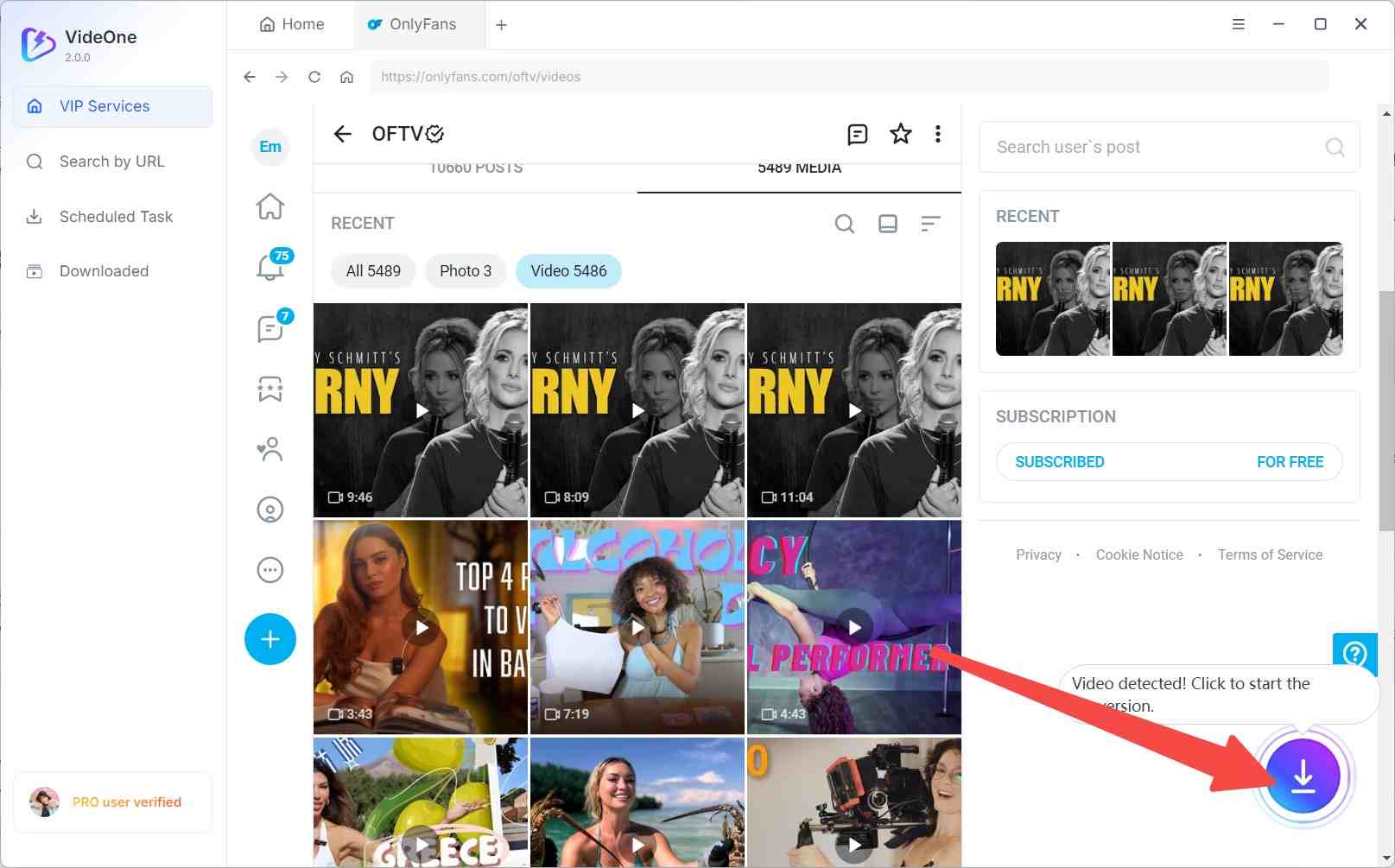
How to Download OnlyFans Videos with TuneFab VideOne
- Step 1. Install TuneFab VideOne on Windows or macOS, then .
- Step 2. Open the software and access its OnlyFans downloader, and sign in to your authorized OnlyFans account.
- Step 3. Navigate to the video you want to save. Open the video and allow VideOne to analyze the media.
- Step 4. Select the available video quality. Choose MP4, MKV, or MOV when available.
- Step 5. Start the download and locate the completed video.
Pros
- Dedicated OnlyFans workflow
- Windows and Mac
- MP4, MKV and MOV output
- High-definition downloads
- Supports multiple websites
Cons
- Feature availability varies by website
- More specialized than some general-purpose downloaders
Best for: Users who want a dedicated OnlyFans downloader with flexible video output options.
5. YT Saver — Best General-Purpose Video Downloader
YT Saver is primarily positioned as a general-purpose video downloader rather than an OnlyFans-focused application.
It can be useful for users who download videos from many everyday video websites. However, OnlyFans compatibility should be checked against the current version before purchasing specifically for this purpose.
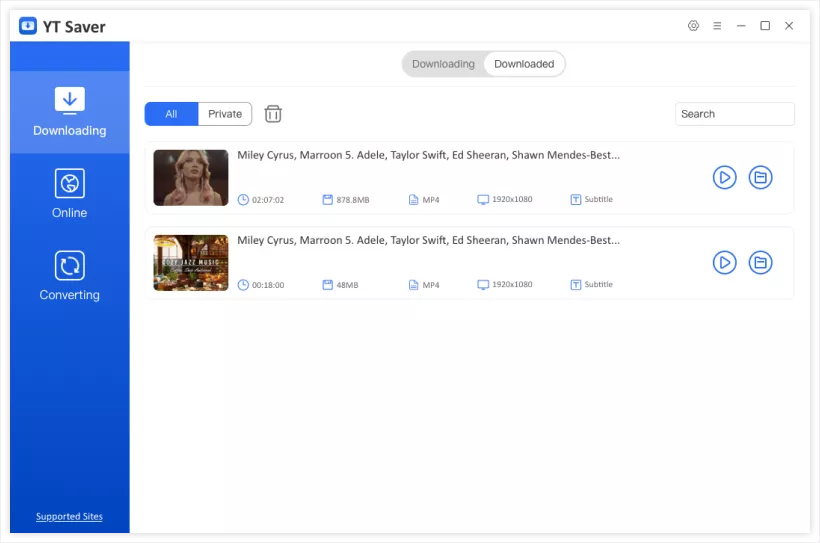
How to Download OnlyFans Videos with YT Saver
- 1. Install YT Saver on your supported desktop system.
- 2. Copy the URL of a video you are authorized to access, if the current version supports the URL.
- 3. Open YT Saver and paste the URL. Allow the software to analyze the video.
- 4. Select the available quality and output format.
- 5. Start the download. Open the output folder when the download is complete.
Pros
- Simple interface
- General-purpose downloader
- Multiple output formats
- Useful beyond one website
Cons
- Not primarily OnlyFans-focused
- OnlyFans compatibility should be verified
- URL-based downloading may not work with every protected video
Best for: Users who mainly need a general video downloader.
Which OnlyFans Video Downloader Should You Choose?
Choose TuneBoto Video One if...
- You need an OnlyFans video downloading solution.
- You also download from many other websites.
- You want Windows and Mac support.
- You want source, MP4, or MKV output options.
- You prefer one all-in-one application.
Choose StreamFab if...
- OnlyFans is your primary target.
- You want a dedicated workflow.
- You want MP4/MKV output.
Choose CleverGet if...
- You prefer desktop software.
- You want integrated browsing.
- You want a straightforward workflow.
Choose TuneFab VideOne if...
- You want a dedicated OnlyFans workflow.
- You prefer a built-in browser.
- You want MP4, MKV, or MOV output.
Choose YT Saver if...
- You mainly need a general-purpose downloader.
- You download from many ordinary video websites.
- OnlyFans is an occasional requirement.
Frequently Asked Questions
What is the best OnlyFans video downloader in 2026?
TuneBoto Video One is our best overall choice because it combines a broad multi-platform video downloading workflow with support for common output formats including MP4 and MKV.
Does TuneBoto Video One support OnlyFans?
TuneBoto Video One can be used with supported OnlyFans video content. Available output options include MP4 and MKV depending on the source and current software support.
Can I download OnlyFans videos as MP4 or MKV?
Yes. TuneBoto Video One supports MP4 and MKV output for supported downloads. TuneFab VideOne and StreamFab also advertise multiple video output formats, including MP4 and MKV.
Is TuneBoto Video One available for Windows and Mac?
Yes. TuneBoto Video One is available for Windows and macOS. TuneBoto's current support information lists Windows 10 or later and macOS 11 or later for Video One.
Can I download any OnlyFans video?
Download availability can depend on the specific post, account access, source delivery method, and current software version. Only download content you are authorized to access and save, and do not redistribute creators' content without permission.
Final Verdict
After comparing the five options, TuneBoto Video One is our best overall choice for users who want an OnlyFans video downloader that can also handle many other websites.
StreamFab is a strong alternative when OnlyFans is the main purpose and you want a dedicated workflow. CleverGet and TuneFab VideOne are useful alternatives for users who prefer integrated desktop browsing, while YT Saver is better suited to general-purpose downloading.
Disclaimer: This article is for informational purposes only. Only download videos and other content that you have the legal right or permission to save. Respect creators' copyrights, terms of service, and applicable laws.
